How to create a text listing of files in a specified directory
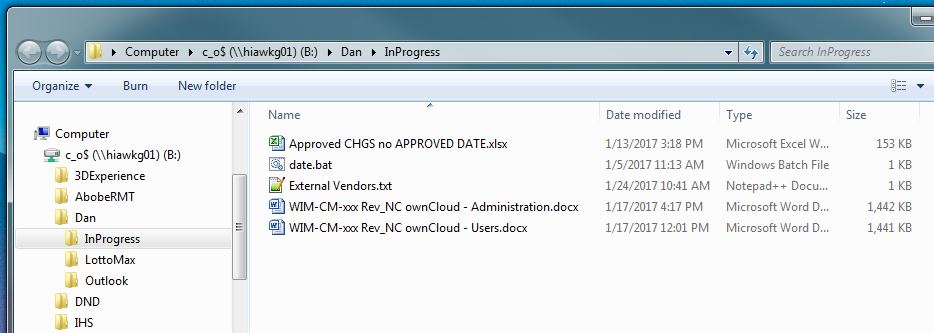
Open the directory you need the file list from in Windows Explorer. In this example we are using the directory InProgress.
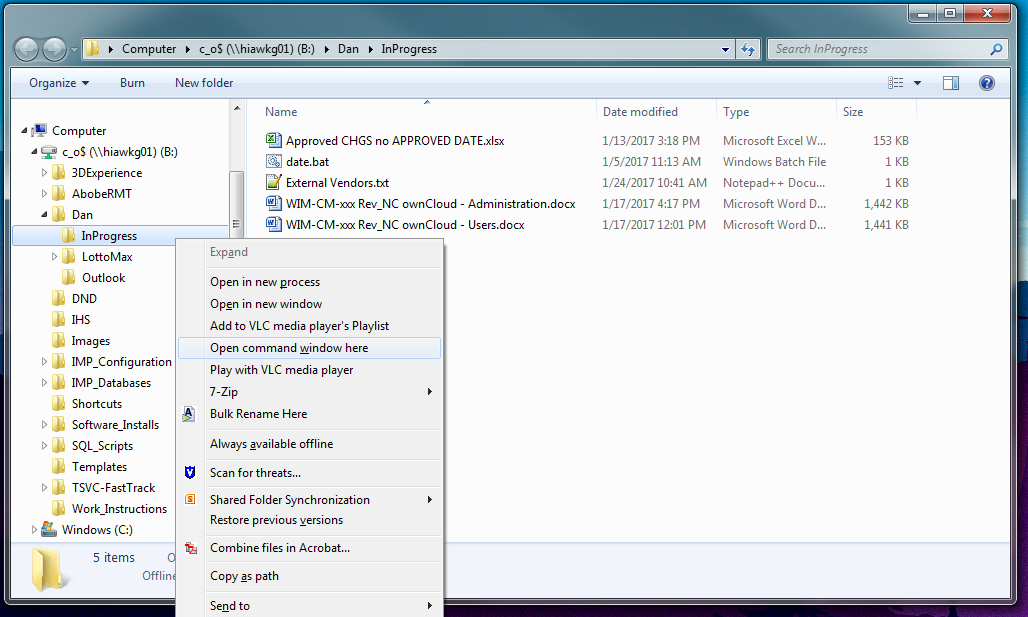
Hold the shift key and right click on the folder containing the required files. Click on Open command window here.
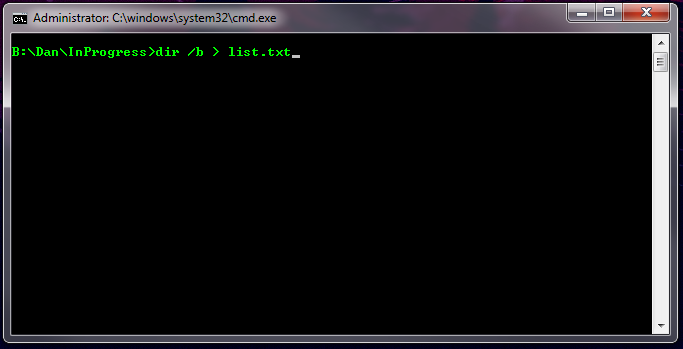
Open the command window opens type:
dir /b > list.txt
and press enter.
This will add a file called list.txt to your originally selected folder.
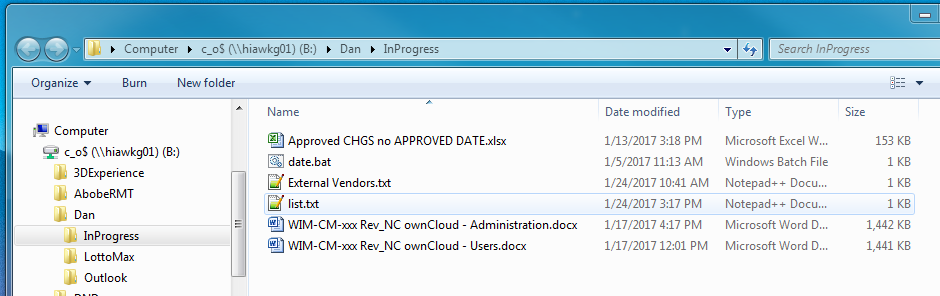
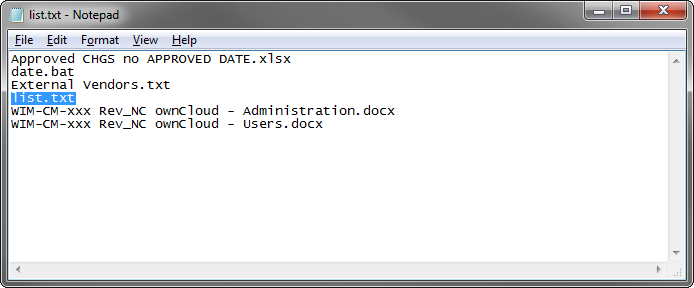
Open the list.txt file by double clicking on it, find list.txt in the list and delete it.
You are now able to rename the text file to some thing more appropriate. It may also be copied into a Word document or converted to a PDF for delivery.
Updated 30-January-2017