Microsoft SQL Server Management Studio Remembered Logins
Microsoft SQL Server Management Studio 2016 remembers the logins and passwords, if Remember password has been selected.
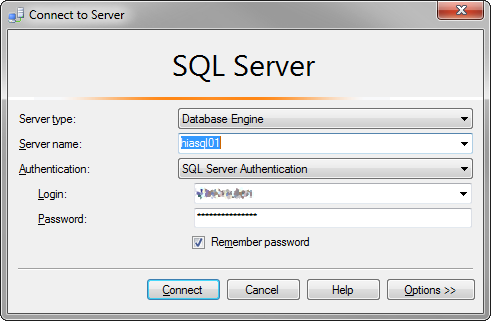
To delete these remebered logins you will need to delete the SqlStudio.bin file from the following location:
C:\Users\%username%\AppData\Roaming\Microsoft\SQL Server Management Studio\13.0\
- Replace
%username%with your Windows login - The number
13.0may be different depending on the Version installed - Microsoft SQL Server Management Studio must be closed when deleting the file
AppData is a hidden folder. You may need to show hidden folders in explorer if you try to navigate to this directory
##### —